ActiveCenter
ActiveCenter is the local motion data center for Semcam Live. It brings camera and device management, capture-space setup, real-time preview, recording, playback, result processing, and data output into one workspace.
For operators, it is both the site console and the unified entry point from capture to delivery.
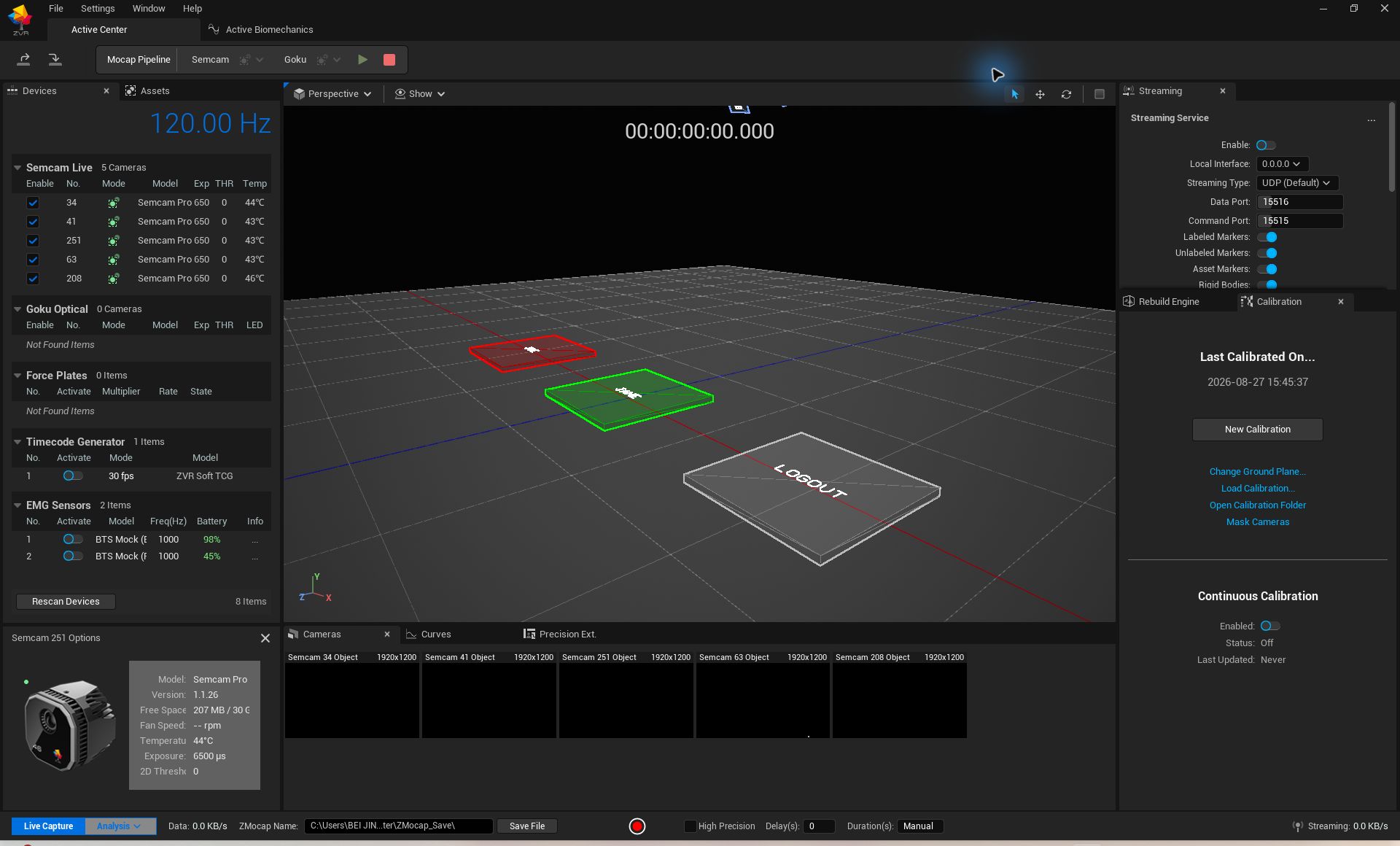
One Workspace for the Whole Task
ActiveCenter reduces switching between tools by combining device management, calibration, real-time capture, recording and playback, data reprocessing, HPE, live connection, and file export.
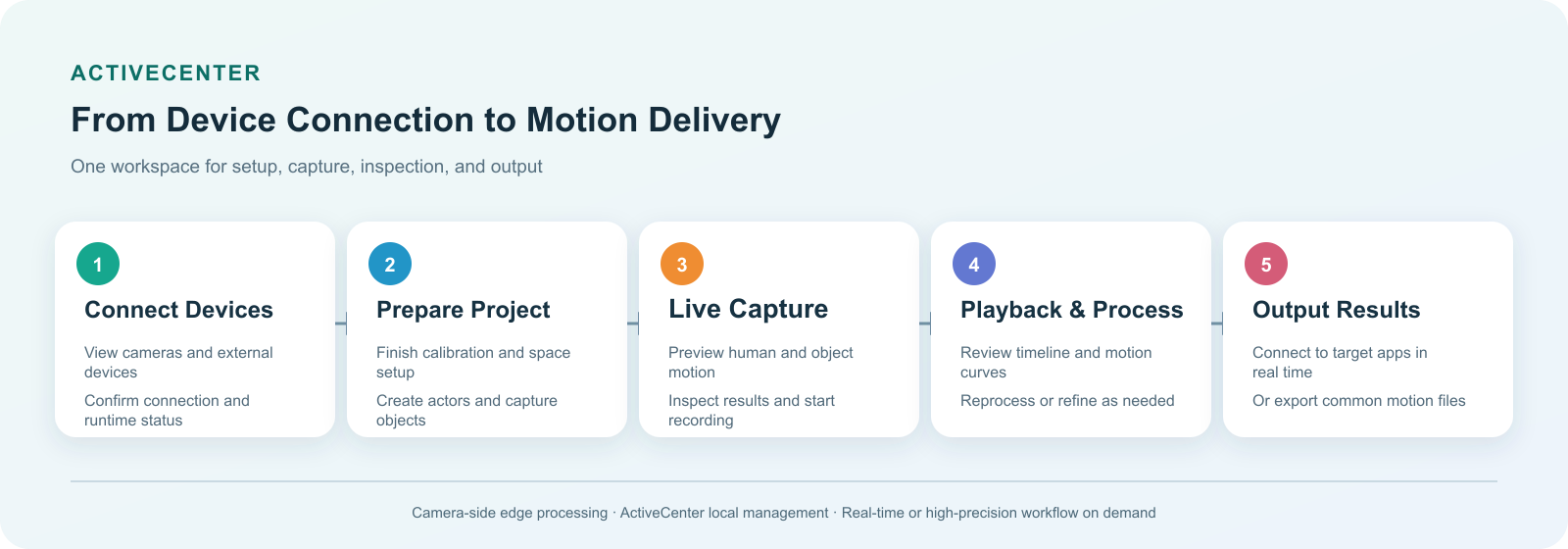
Main Work Areas
The interface follows field operation habits: devices and assets on the left, 3D capture results in the center, playback and curves below, and output or task controls on the right.
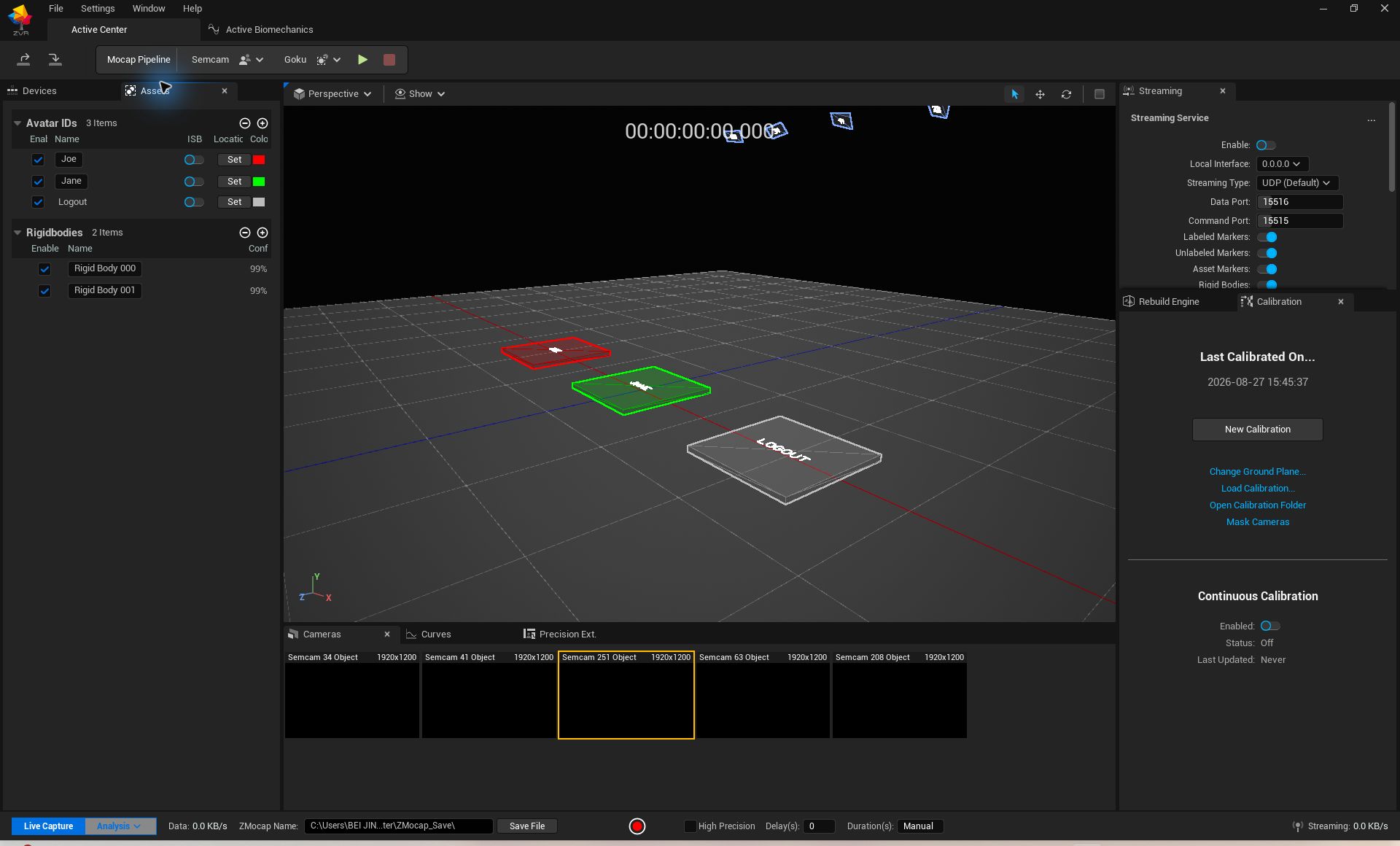
Devices and Projects
Cameras, timecode, force plates, EMG, people, and rigid bodies can be managed in one project so operators can quickly confirm online status and prepare capture targets.
3D Preview
The 3D view shows body rigs, rigid bodies, ground, and capture space. Operators can identify ID switches, occlusion, or insufficient coverage before formal recording.
Timeline and Playback
After recording, the timeline helps inspect clips, select frame ranges, play back results, and reprocess data without repeating the capture session.
Output and Connection
Motion results can drive Unreal Engine, Unity, robots, or interactive applications in real time, and can also be exported as FBX, BVH, MOT, CSV, and related files.
Real-Time and HPE Workflows
| Workflow | Best suited for |
|---|---|
| Real-time workflow | Live preview, character driving, interaction, and capture quality checks |
| HPE workflow | Research analysis, robot datasets, hero shots, and refined delivery |
Real time emphasizes immediate feedback; HPE emphasizes result quality after capture. HPE support depends on camera model, software version, and project licensing.
Unified Human and Object Management
Semcam AI cameras capture markerless human motion. Goku optical cameras track props, training tools, robot end effectors, and other rigid bodies. ActiveCenter keeps them in one space and one timeline, and can also include force plates, EMG, or timecode devices.
Local Operation
Semcam cameras perform edge AI processing first, while ActiveCenter manages and reconstructs results locally. This reduces raw-video transmission, shortens the real-time path, and fits labs, production sites, and fixed long-term deployments.
Typical Workflow
- Connect cameras and external devices.
- Calibrate cameras and define the capture space.
- Create people, rigid bodies, or other capture targets.
- Check results live and start recording.
- Play back, reprocess, or run HPE.
- Stream or export results to the target application.
Configuration Note
Connected devices, real-time interfaces, file formats, HPE, and extensions vary by purchased configuration, software version, and license.