Product Introduction
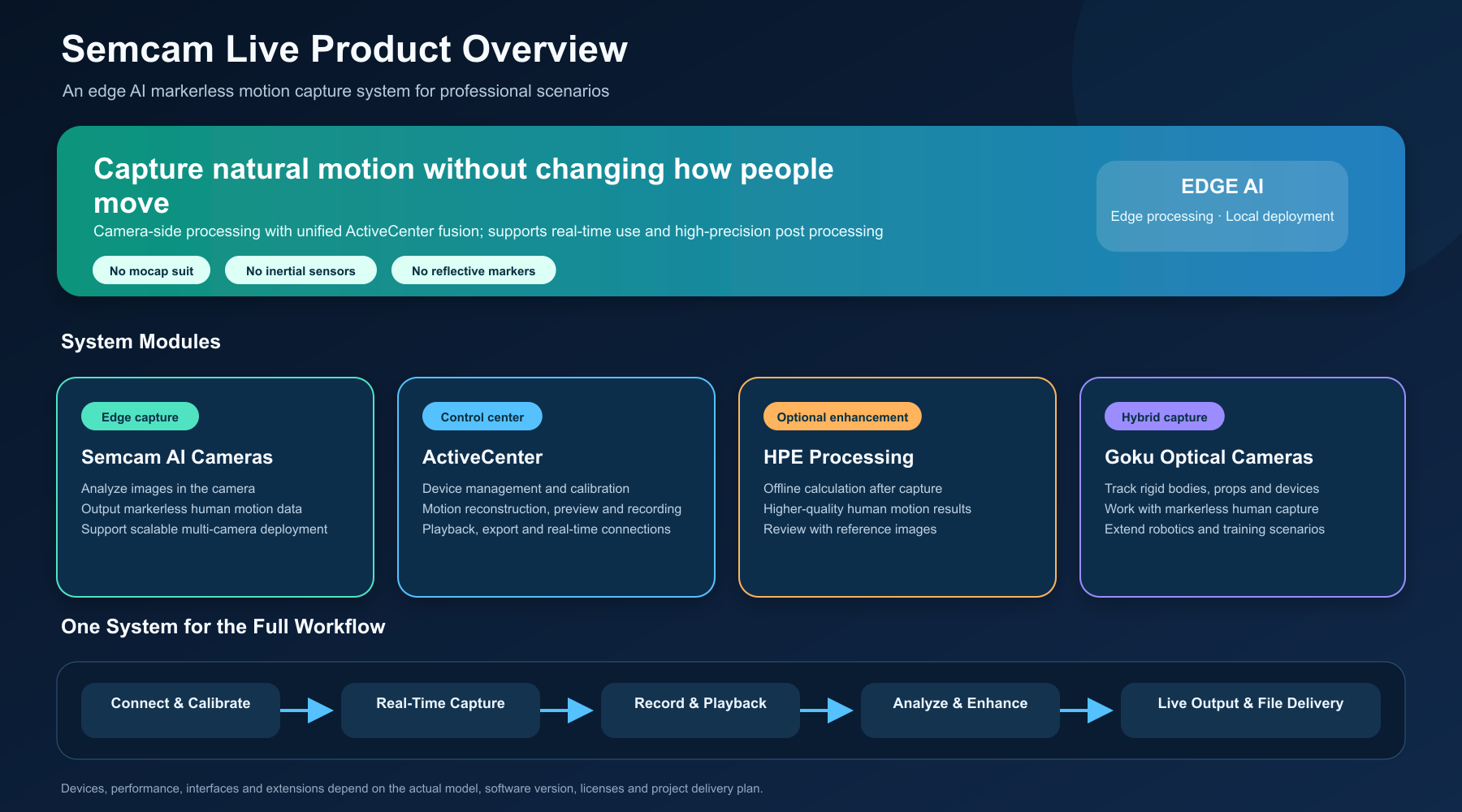
Semcam Live is an edge AI markerless motion capture system. Users do not need mocap suits, inertial sensors, or reflective markers to capture motion in a natural state.
The system is designed for multi-camera capture, real-time applications, and long-term deployment in life sciences, university laboratories, robotics, simulation training, large-space interaction, animation, and visual effects.
Product Positioning
Semcam Live is not a tool that only estimates motion from a single video clip. It is a complete system covering device management, camera calibration, real-time capture, recording and playback, data export, and extended analysis.
Its edge computing architecture lets Semcam AI cameras analyze images on the device first, while ActiveCenter performs multi-camera synchronization, reconstruction, visualization, and output. This division reduces network pressure and makes the system easier to scale to larger camera arrays and capture spaces.
System Modules
| Product | Main role |
|---|---|
| Semcam AI Camera | Processes images at the camera and provides markerless human motion data |
| ActiveCenter | Manages devices and calibration, then reconstructs, previews, records, plays back, and exports motion |
| HPE high-precision processing | Runs offline computation after capture to produce higher-quality human motion results |
| Goku optical camera | Tracks rigid bodies, props, robot end effectors, training tools, or other marked objects |
Force plates, EMG, timecode devices, Active Biomechanics, and motion quality assessment can also be configured when a project requires them.
Core Advantages
Natural, low-interference capture
Participants do not need dedicated wearable devices. This shortens preparation time and reduces the influence of equipment on gait, training, rehabilitation, multi-person interaction, and repeated data collection.
Edge computing and local deployment
Cameras process part of the visual workload first and send only the data needed for motion capture to ActiveCenter. Compared with sending every raw video stream to one computer, this approach reduces network traffic, shortens the real-time path, scales compute with the number of cameras, reduces centralized raw-video storage, and is better suited to local, long-running sites.
Real-time and high-precision workflows
Operators can view body rigs, rigid bodies, and trajectories on site and stream results to downstream software. For tasks that prioritize quality, HPE can process selected recordings after capture and use reference-camera images for review.
Hybrid human and object capture
Semcam captures markerless human motion, while Goku tracks rigid bodies and marked objects. Together they can record people, props, robots, training equipment, and virtual cameras in one project.
Typical Workflow
- Connect cameras and external devices.
- Calibrate cameras and define the capture space.
- Create human or rigid-body capture targets.
- Preview results in real time and start recording.
- Play back, reprocess, or run high-precision computation.
- Stream or export results to the target software.
For a fuller view of the data path, see System Architecture.
Difference from Ordinary AI Video Mocap
| Topic | Semcam Live | Ordinary single-video AI mocap |
|---|---|---|
| Main use | Professional capture, real-time use, and long-term deployment | Quick motion generation from video |
| Capture | Synchronized multi-camera system with scalable capture space | One or a few video files |
| Processing | Camera-side processing plus center-side fusion | Usually centralized after capture |
| Real time | Real-time preview and data output | Mostly offline results |
| Object tracking | Can work with Goku for rigid bodies and props | Usually human-body only |
| Data management | Recording, playback, reprocessing, and multiple outputs | Usually final motion files only |
Configuration Boundaries
The final system should be configured around capture space, number of people, motion type, accuracy, real-time requirements, target software, and site network. Device capabilities, interfaces, formats, and extensions are subject to the purchased model, software version, licensed modules, and project acceptance results.